

How to install an SSL using AutoSSL in cPanel
Nornmally, AutoSSL should install by itself without users intervention especially once AutoSSL is enabled. Sometimes it becomes necessary to overwrite and initiate AutoSSL installation due to various reasons including needing to have SSL installed immediately. Installing an SSL certificate using AutoSSL in cPanel is a simple process, as AutoSSL is an automatic SSL management tool that issues free certificates for your domains. AutoSSL takes 5 to 15 minutes to install. Here are the steps to install an SSL certificate using AutoSSL:
1. Log into cPanel:
- Access your cPanel account by navigating to
yourdomain.com/cpaneland logging in with your credentials.
2. Locate AutoSSL in cPanel:
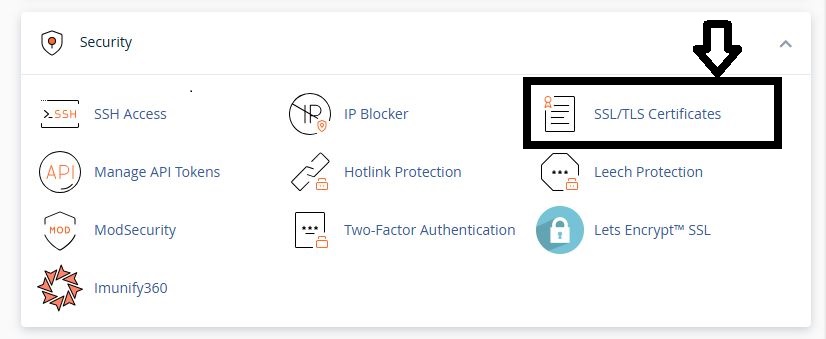
- Scroll down to the “Security” section and click on “SSL/TLS Certificates” (you can also use the search button on cPanel).
3. Click on Wizard from the top menu.

4. Select the domain and subdomains you want to install SSL certificates for.
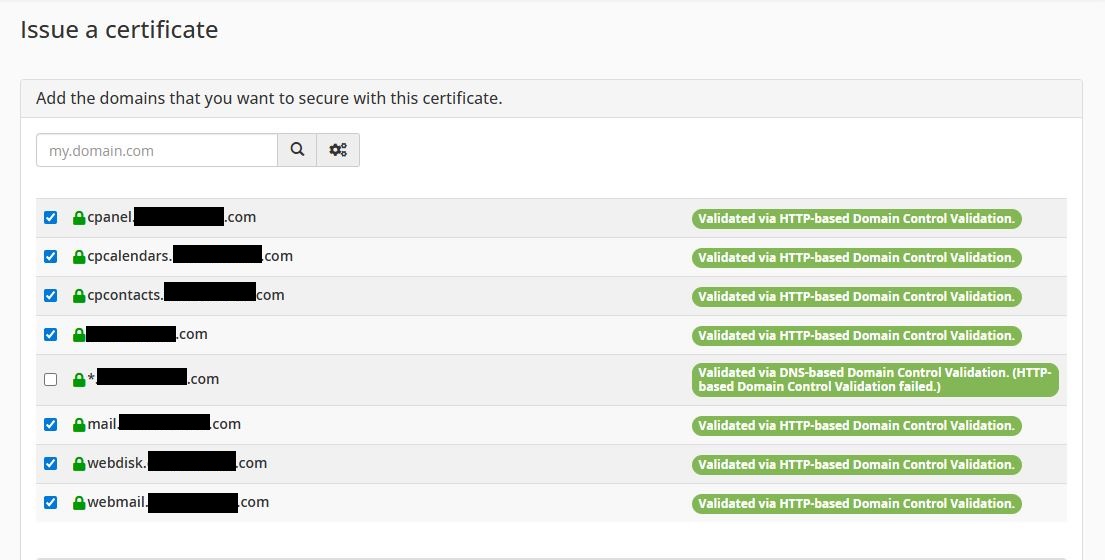
5. Click on Continue to proceed.
- Make sure the domains you want covered are selected, then click on Continue. AutoSSL will scan your account and automatically issue and install SSL certificates for the domains/subdomains you have selected under your cPanel account.

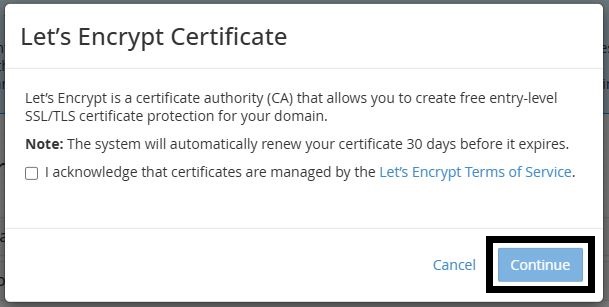
6. Click on Let’s Encrypt Certificate from the next pop up.

7. Check the Terms of Service box and click on Continue
8. Wait for Installation:
- AutoSSL will now check for eligible domains and install the SSL certificates. This process usually takes a few minutes (5 to 15 minutes), depending on how many domains you have.
- Once the process is complete, a success message should appear for each domain, confirming the SSL has been installed.
9. Verify Installation:
- To ensure the SSL was installed correctly, visit your website using
https://yourdomain.comand check the browser’s padlock icon. If it’s secure, the SSL is working. - You can also use online tools like SSL Checker (e.g., https://www.sslshopper.com/ssl-checker.html) to verify the SSL status.
By following these steps, you’ll have SSL certificates installed and automatically renewed using AutoSSL. If your hosting provider supports AutoSSL, the process should be seamless.
