How To Place Order For Domain and Hosting and Pay With Mobile Money (Manual)
Here’s how to place an order for domain name and hosting at G Online Sites, and pay with Mobile Money (Manual)
1. Visit G Online Sites and click on Domain Name Registration

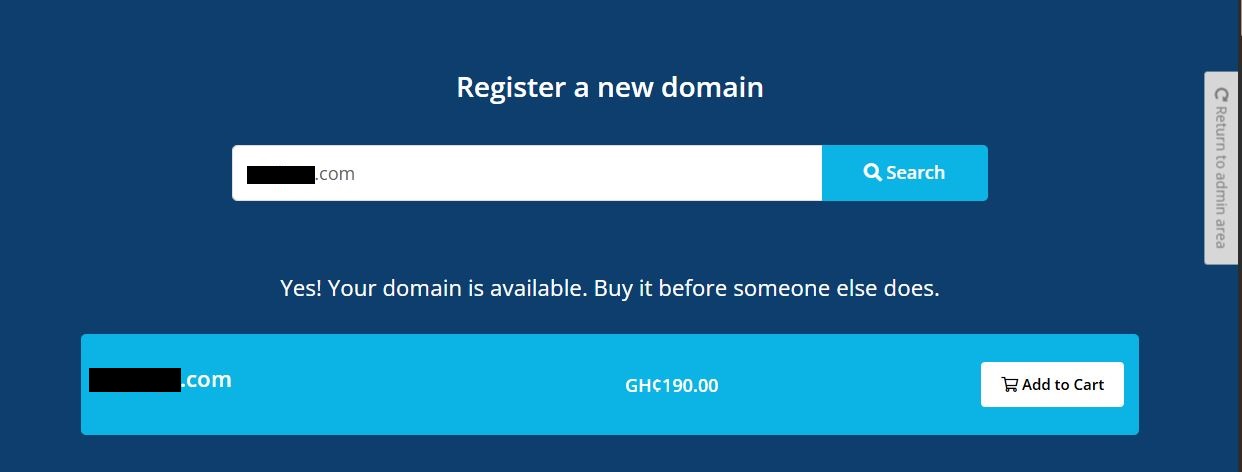
2. Search for the domain you prefer to purchase and click on Add to Cart
3. Scroll down to Add Web Hosting and click on Explore packages now

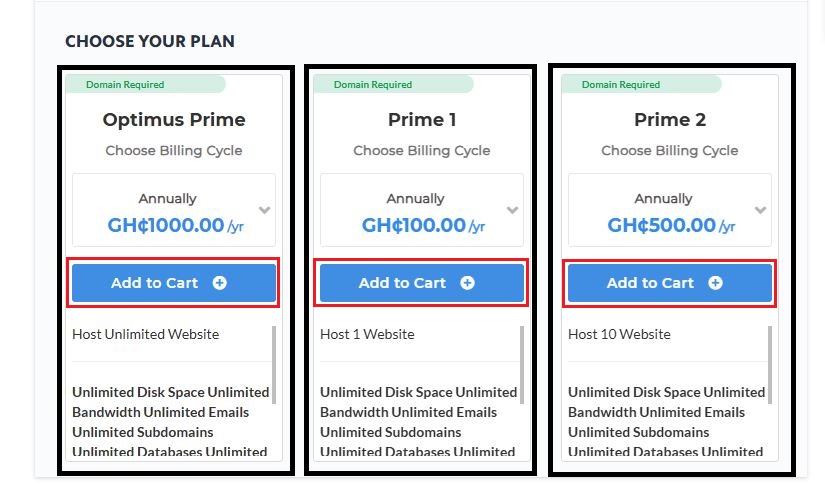
4. Choose your preferred hosting package and click on Add To Cart
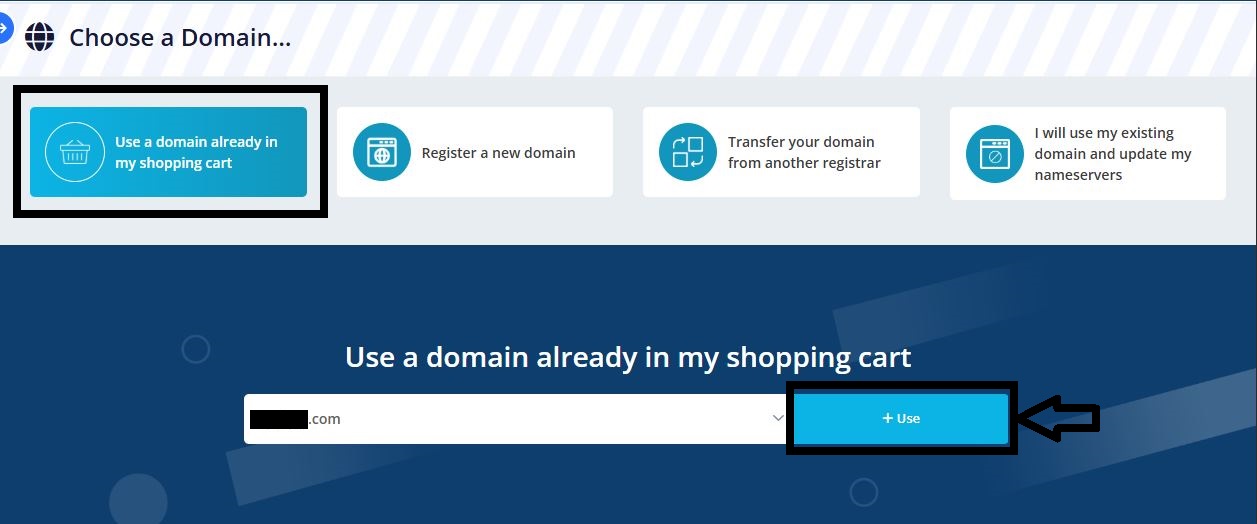
5. Select Use a domain already in my shopping cart and click on Use
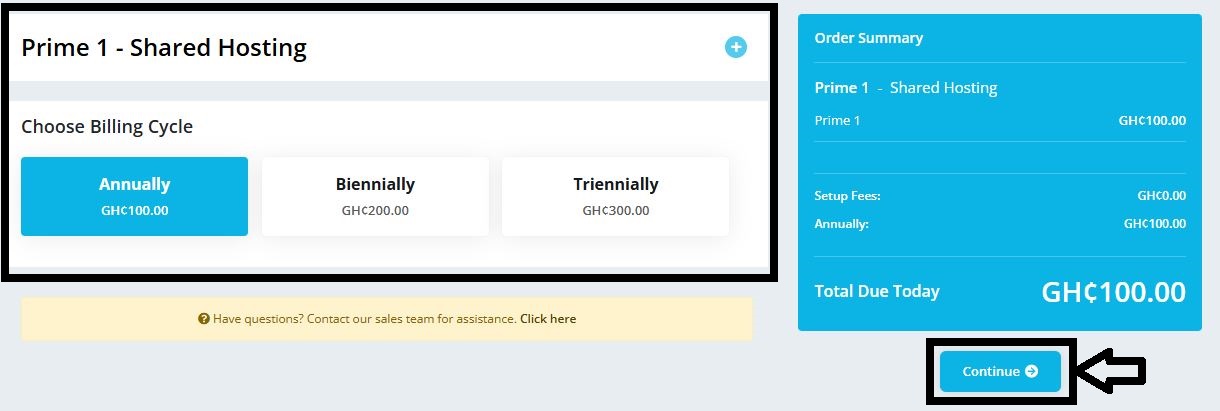
6. Choose your preferred billing cycle and click on Continue
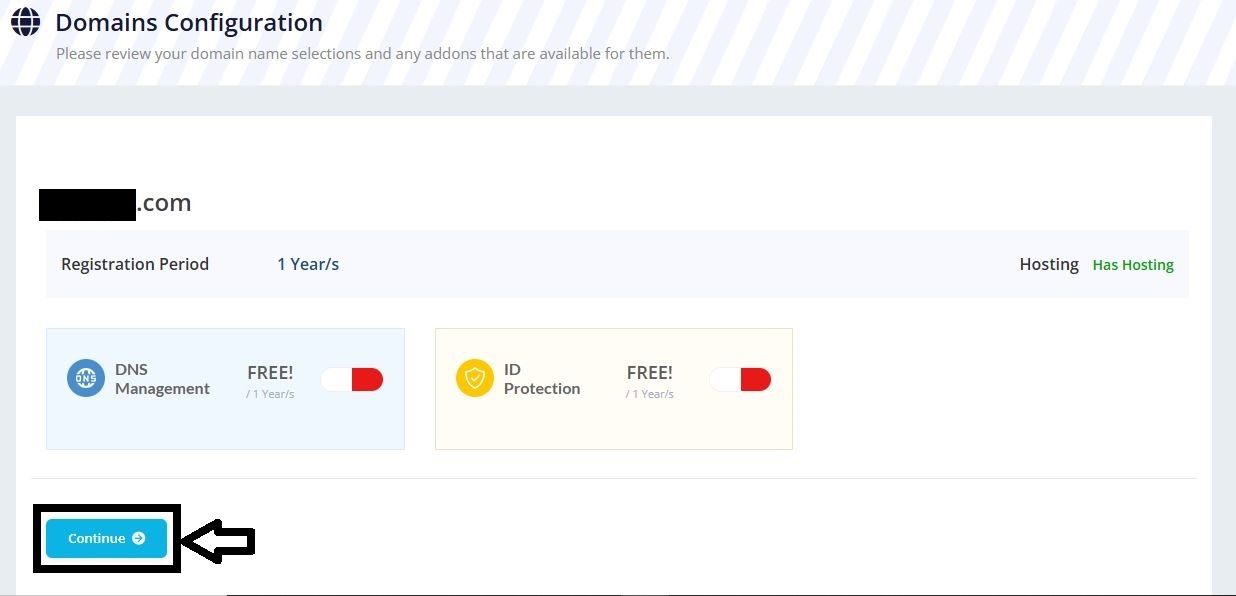
7. Check Domain Configuration and click on Continue
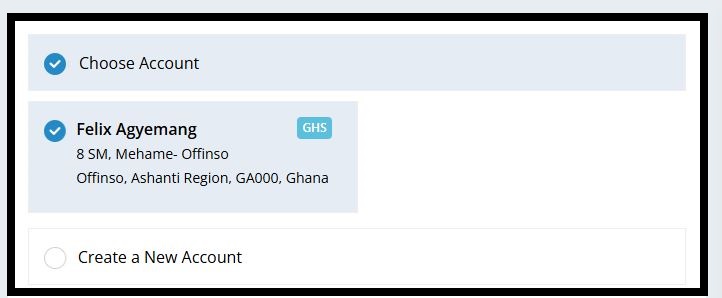
8. Select your account or create a new one
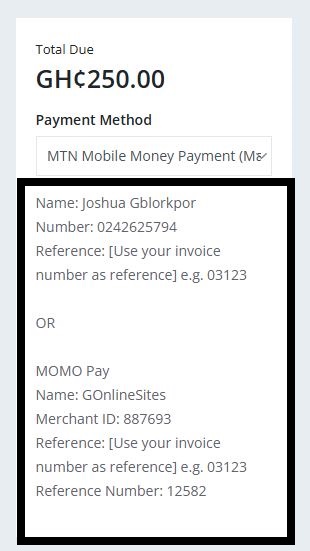
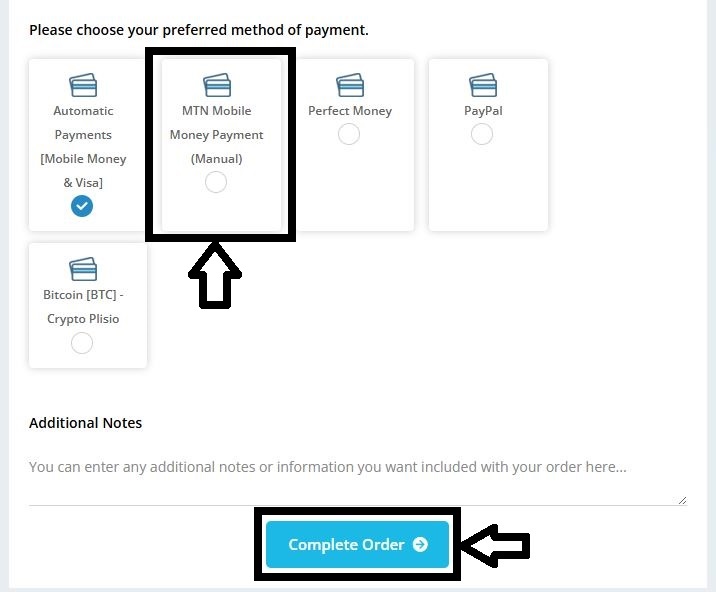
9. Choose MTN Mobile Money Payment (Manual) as your preferred payment method and click on Complete Order
10. Use the payment details on the page to complete payment