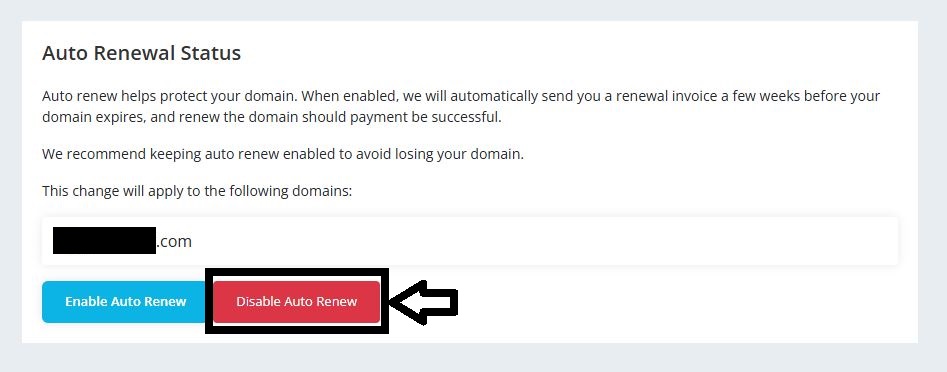
How to disable autorenewal of Domain name
Estimated reading time: < 1 min
Autorenewal when enabled uses your credit balance on G Online Sites or charges from your Card or any supporting payment gateway that charges automatically. If you do not need this feature, you can disable it.
Follow the steps below in order to disable auto renewal of a domain name.
1. Log into your G Online Sites Client Area
2. Click on Domains on the left menu

3. Click on Domain from the dropdown menu

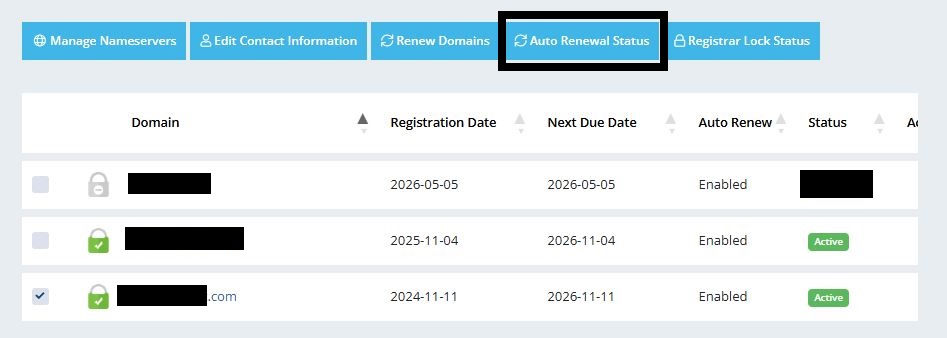
4. Tick the domain and click on Auto Renew Status from the top menu
5. Click on Disable Auto Renew