How To Transfer a Domain To G Online Sites
Estimated reading time: < 1 min
1. Go to Client Area.
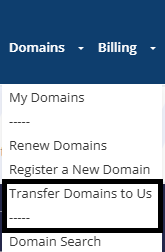
2. Go to Domains on the top menu and click on Transfer Domain To Us

3. Provide the domain you wish to transfer as well as the Epp / Auth code for the transfer
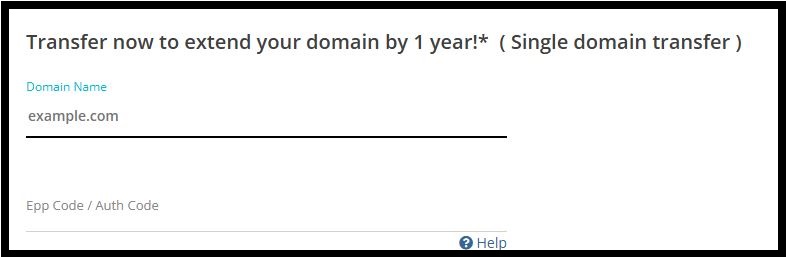
NB: Kindly note that the domain name should be unlocked and you have generated the EPP or Auth Code from your current registrar (Contact your registrar for assistance)
4. Click on Add to Cart.

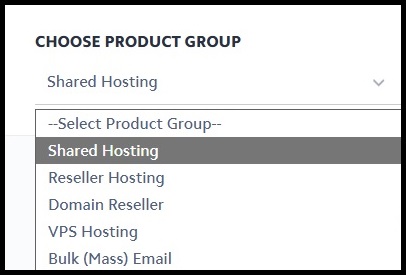
5. Choose the product group you prefer your domain to have (optional: skip if you want to transfer domain only).
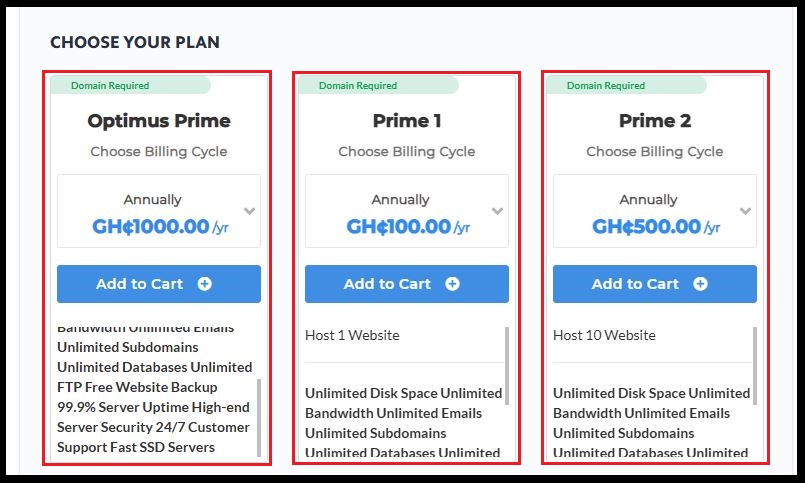
6. Choose your preferred hosting plan (optional: skip if you want to transfer domain only).
7. Choose your preferred payment method from the available options.

8. Then click on Complete Order to complete the transfer of your domain.